

Pipecat — an open source framework for voice (and multimodal) assistants
Build things like this:
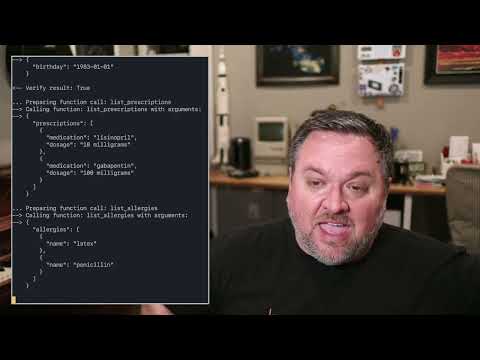
[ pipecat starter kits repository ]
Pipecat started as a toolkit for implementing generative AI voice bots. Things like personal coaches, meeting assistants, story-telling toys for kids, customer support bots, and snarky social companions.
In 2023 a lot of us got excited about the possibility of having open-ended conversations with LLMs. It became clear pretty quickly that we were all solving the same low-level problems:
- low-latency, reliable audio transport
- echo cancellation
- phrase endpointing (knowing when the bot should respond to human speech)
- interruptibility
- writing clean code to stream data through "pipelines" of speech-to-text, LLM inference, and text-to-speech models
As our applications expanded to include additional things like image generation, function calling, and vision models, we started to think about what a complete framework for these kinds of apps could look like.
Today, pipecat is:
- a set of code building blocks for interacting with generative AI services and creating low-latency, interruptible data pipelines that use multiple services
- transport services that moves audio, video, and events across the Internet
- implementations of specific generative AI services
Currently implemented services:
- Speech-to-text
- Deepgram
- Whisper
- LLMs
- Azure
- Fireworks
- OpenAI
- Image generation
- Azure
- Fal
- OpenAI
- Text-to-speech
- Azure
- Deepgram
- ElevenLabs
- Transport
- Daily
- Local
- Vision
- Moondream
If you'd like to implement a service, we welcome PRs! Our goal is to support lots of services in all of the above categories, plus new categories (like real-time video) as they emerge.
Getting started
Today, the easiest way to get started with pipecat is to use Daily as your transport service. This toolkit started life as an internal SDK at Daily and millions of minutes of AI conversation have been served using it and its earlier prototype incarnations.
# install the module
pip install pipecat

# set up an .env file with API keys
cp dot-env.template .env
By default, in order to minimize dependencies, only the basic framework functionality is available. Some third-party AI services require additional dependencies that you can install with:
pip install "pipecat[option,...]"
Your project may or may not need these, so they're made available as optional requirements. Here is a list:
- AI services:
anthropic,azure,fal,moondream,openai,playht,silero,whisper - Transports:
daily,local,websocket
Code examples
There are two directories of examples:
- foundational — examples that build on each other, introducing one or two concepts at a time
- starter apps — complete applications that you can use as starting points for development
Before running the examples you need to install the dependencies (which will install all the dependencies to run all of the examples):
pip install -r {env}-requirements.txt
To run the example below you need to sign up for a free Daily account and create a Daily room (so you can hear the LLM talking). After that, join the room's URL directly from a browser tab and run:
python examples/foundational/02-llm-say-one-thing.py
Hacking on the framework itself
Note that you may need to set up a virtual environment before following the instructions below. For instance, you might need to run the following from the root of the repo:
python3 -m venv venv
source venv/bin/activate
From the root of this repo, run the following:
pip install -r dev-requirements.txt -r {env}-requirements.txt
python -m build
This builds the package. To use the package locally (eg to run sample files), run
pip install --editable .
If you want to use this package from another directory, you can run:
pip install path_to_this_repo
Running tests
From the root directory, run:
pytest --doctest-modules --ignore-glob="*to_be_updated*" src tests
Setting up your editor
This project uses strict PEP 8 formatting.
Emacs
You can use use-package to install py-autopep8 package and configure autopep8 arguments:
(use-package py-autopep8
  :ensure t
  :defer t
  :hook ((python-mode . py-autopep8-mode))
  :config
  (setq py-autopep8-options '("-a" "-a", "--max-line-length=100")))
autopep8 was installed in the venv environment described before, so you should be able to use pyvenv-auto to automatically load that environment inside Emacs.
(use-package pyvenv-auto
  :ensure t
  :defer t
  :hook ((python-mode . pyvenv-auto-run)))
Visual Studio Code
Install the
autopep8 extension. Then edit the user settings (Ctrl-Shift-P Open User Settings (JSON)) and set it as the default Python formatter, enable formatting on save and configure autopep8 arguments:
"[python]": {
    "editor.defaultFormatter": "ms-python.autopep8",
    "editor.formatOnSave": true
},
"autopep8.args": [
    "-a",
    "-a",
    "--max-line-length=100"
],