
176 lines
5.9 KiB
Markdown
176 lines
5.9 KiB
Markdown
[](https://pypi.org/project/pipecat)
|
|
|
|
# Pipecat — an open source framework for voice (and multimodal) assistants
|
|
|
|
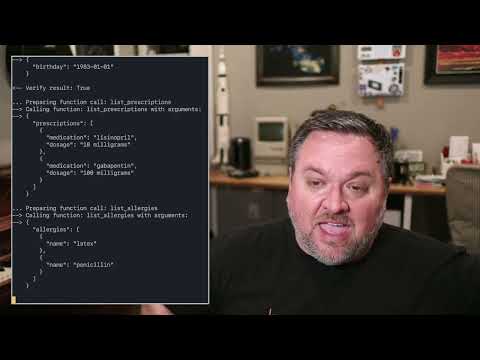
Build things like this:
|
|
|
|
[](https://www.youtube.com/watch?v=lDevgsp9vn0)
|
|
|
|
[ [pipecat starter kits repository](https://github.com/daily-co/pipecat-examples) ]
|
|
|
|
**`Pipecat` started as a toolkit for implementing generative AI voice bots.** Things like personal coaches, meeting assistants, story-telling toys for kids, customer support bots, and snarky social companions.
|
|
|
|
In 2023 a _lot_ of us got excited about the possibility of having open-ended conversations with LLMs. It became clear pretty quickly that we were all solving the same [low-level problems](https://www.daily.co/blog/how-to-talk-to-an-llm-with-your-voice/):
|
|
|
|
- low-latency, reliable audio transport
|
|
- echo cancellation
|
|
- phrase endpointing (knowing when the bot should respond to human speech)
|
|
- interruptibility
|
|
- writing clean code to stream data through "pipelines" of speech-to-text, LLM inference, and text-to-speech models
|
|
|
|
As our applications expanded to include additional things like image generation, function calling, and vision models, we started to think about what a complete framework for these kinds of apps could look like.
|
|
|
|
Today, `pipecat` is:
|
|
|
|
1. a set of code building blocks for interacting with generative AI services and creating low-latency, interruptible data pipelines that use multiple services
|
|
2. transport services that moves audio, video, and events across the Internet
|
|
3. implementations of specific generative AI services
|
|
|
|
Currently implemented services:
|
|
|
|
- Speech-to-text
|
|
- Deepgram
|
|
- Whisper
|
|
- LLMs
|
|
- Azure
|
|
- Fireworks
|
|
- OpenAI
|
|
- Image generation
|
|
- Azure
|
|
- Fal
|
|
- OpenAI
|
|
- Text-to-speech
|
|
- Azure
|
|
- Deepgram
|
|
- ElevenLabs
|
|
- Transport
|
|
- Daily
|
|
- Local
|
|
- Vision
|
|
- Moondream
|
|
|
|
If you'd like to [implement a service](<(https://github.com/daily-co/pipecat/tree/main/src/pipecat/services)>), we welcome PRs! Our goal is to support lots of services in all of the above categories, plus new categories (like real-time video) as they emerge.
|
|
|
|
## Getting started
|
|
|
|
Today, the easiest way to get started with `pipecat` is to use [Daily](https://www.daily.co/) as your transport service. This toolkit started life as an internal SDK at Daily and millions of minutes of AI conversation have been served using it and its earlier prototype incarnations.
|
|
|
|
```
|
|
# install the module
|
|
pip install pipecat
|
|
|
|
# set up an .env file with API keys
|
|
cp dot-env.template .env
|
|
```
|
|
|
|
By default, in order to minimize dependencies, only the basic framework functionality is available. Some third-party AI services require additional
|
|
dependencies that you can install with:
|
|
|
|
```
|
|
pip install "pipecat[option,...]"
|
|
```
|
|
|
|
Your project may or may not need these, so they're made available as optional requirements. Here is a list:
|
|
|
|
- **AI services**: `anthropic`, `azure`, `fal`, `moondream`, `openai`, `playht`, `silero`, `whisper`
|
|
- **Transports**: `daily`, `local`, `websocket`
|
|
|
|
## Code examples
|
|
|
|
There are two directories of examples:
|
|
|
|
- [foundational](https://github.com/daily-co/pipecat/tree/main/examples/foundational) — examples that build on each other, introducing one or two concepts at a time
|
|
- [starter apps](https://github.com/daily-co/pipecat/tree/main/examples/starter-apps) — complete applications that you can use as starting points for development
|
|
|
|
Before running the examples you need to install the dependencies (which will install all the dependencies to run all of the examples):
|
|
|
|
```
|
|
pip install -r {env}-requirements.txt
|
|
```
|
|
|
|
To run the example below you need to sign up for a [free Daily account](https://dashboard.daily.co/u/signup) and create a Daily room (so you can hear the LLM talking). After that, join the room's URL directly from a browser tab and run:
|
|
|
|
```
|
|
python examples/foundational/02-llm-say-one-thing.py
|
|
```
|
|
|
|
## Hacking on the framework itself
|
|
|
|
_Note that you may need to set up a virtual environment before following the instructions below. For instance, you might need to run the following from the root of the repo:_
|
|
|
|
```
|
|
python3 -m venv venv
|
|
source venv/bin/activate
|
|
```
|
|
|
|
From the root of this repo, run the following:
|
|
|
|
```
|
|
pip install -r dev-requirements.txt -r {env}-requirements.txt
|
|
python -m build
|
|
```
|
|
|
|
This builds the package. To use the package locally (eg to run sample files), run
|
|
|
|
```
|
|
pip install --editable .
|
|
```
|
|
|
|
If you want to use this package from another directory, you can run:
|
|
|
|
```
|
|
pip install path_to_this_repo
|
|
```
|
|
|
|
### Running tests
|
|
|
|
From the root directory, run:
|
|
|
|
```
|
|
pytest --doctest-modules --ignore-glob="*to_be_updated*" src tests
|
|
```
|
|
|
|
## Setting up your editor
|
|
|
|
This project uses strict [PEP 8](https://peps.python.org/pep-0008/) formatting.
|
|
|
|
### Emacs
|
|
|
|
You can use [use-package](https://github.com/jwiegley/use-package) to install [py-autopep8](https://codeberg.org/ideasman42/emacs-py-autopep8) package and configure `autopep8` arguments:
|
|
|
|
```elisp
|
|
(use-package py-autopep8
|
|
:ensure t
|
|
:defer t
|
|
:hook ((python-mode . py-autopep8-mode))
|
|
:config
|
|
(setq py-autopep8-options '("-a" "-a", "--max-line-length=100")))
|
|
```
|
|
|
|
`autopep8` was installed in the `venv` environment described before, so you should be able to use [pyvenv-auto](https://github.com/ryotaro612/pyvenv-auto) to automatically load that environment inside Emacs.
|
|
|
|
```elisp
|
|
(use-package pyvenv-auto
|
|
:ensure t
|
|
:defer t
|
|
:hook ((python-mode . pyvenv-auto-run)))
|
|
|
|
```
|
|
|
|
### Visual Studio Code
|
|
|
|
Install the
|
|
[autopep8](https://marketplace.visualstudio.com/items?itemName=ms-python.autopep8) extension. Then edit the user settings (_Ctrl-Shift-P_ `Open User Settings (JSON)`) and set it as the default Python formatter, enable formatting on save and configure `autopep8` arguments:
|
|
|
|
```json
|
|
"[python]": {
|
|
"editor.defaultFormatter": "ms-python.autopep8",
|
|
"editor.formatOnSave": true
|
|
},
|
|
"autopep8.args": [
|
|
"-a",
|
|
"-a",
|
|
"--max-line-length=100"
|
|
],
|
|
```
|