 26a40e2e62
A third pass over low-error-count files in the ignore list. Drops 10
files (67 → 57) and full-pyright errors from 555 → 525. Default
pyright stays clean.

Optional access guards (4 files). The same fix shape as 9e9b1f39e:
a receiver typed `X | None` accessed without a guard, fixed with a
local-var capture or an early return.

- `mistral/stt.py`: `_connection.send_audio` could crash if
  `_connect()` swallowed an exception and left `_connection` unset;
  drop the audio chunk with a warning instead. `_receive_events`
  iterating `_connection.events()` got the same defensive narrowing.
- `deepgram/flux/stt.py`: `_websocket_url` is set in `_connect`
  before `_connect_websocket` is called, but pyright doesn't track
  that across methods — assert at the use site. `websocket.response`
  is `Response | None` in the websockets stubs even though it's
  always populated post-handshake; guarded with a fallback.
- `audio/filters/rnnoise_filter.py`: the module-level import sets
  `RNNoise` to `None` if `pyrnnoise` isn't installed; raise
  `ImportError` explicitly instead of relying on the existing try-
  block to catch the `None(...)` call. Also gated `filter()` with
  `or self._rnnoise is None` so pyright sees the narrowing.
- `transports/smallwebrtc/request_handler.py`: `get_answer()`
  legitimately returns `None`; raise instead of crashing on three
  subscript accesses.

`TTSService` `audio-context` API tightening. Mirroring the
`append_to_audio_context` fix from the previous batch:
`remove_audio_context` was typed `str` but is called with `str | None`
from `get_active_audio_context_id()` results. Widened to `str | None`
and the `None` handling lives in the function body (early debug log
+ return) — matching `append_to_audio_context`'s shape.
`audio_context_available` keeps its narrow `str` signature; asking
"is `None` available?" isn't a meaningful question (`_audio_contexts`
is `dict[str, asyncio.Queue]`). The internal call site in
`on_turn_context_completed` narrows `_turn_context_id` explicitly
before passing it. Side effect: deepgram/tts.py's L307 error clears
without local changes.

`deepgram/tts.py` (4 errors → 0): the same `push_error(ErrorFrame(...))`
latent bug we fixed in resembleai earlier in this PR — `push_error`
takes a string; there's a separate `push_error_frame` for frames.
Two sites switched. The Optional `_websocket.response` access is
guarded the same way as deepgram/flux/stt.py. The `remove_audio_context`
error was cleared by the tightening above.

`aws/utils.py` (3 errors → 0): `AWSTranscribePresignedURL` declared
`session_token: str` but the dict source is `str | None` (AWS
supports long-term IAM creds without a session token). Same for
`vocabulary_name`/`vocabulary_filter_name` on `get_request_url`,
which were typed `str = ""` even though the body uses truthy checks
to skip them. Widened to `str | None = None` — matches actual
runtime semantics.

`audio/dtmf/utils.py` (2 errors → 0): `files("...").joinpath(...)`
returns a `Traversable`, but `aiofiles.open` wants a real path. For
regular pip installs this worked in practice (Traversable was a
`Path`), but it would fail for zipped distributions (zipapp,
zipimport) where the resource isn't on disk. Wrapped in
`importlib.resources.as_file(...)` — the canonical bridge that
extracts to a temp file when the resource isn't already on the
filesystem. Validated end-to-end: regular install still reads bytes;
ad-hoc zipapp test confirmed `as_file` extracts the resource and
returns a real Path.

`openai/image.py` (2 errors → 0): the `size` arg to
`images.generate` is `Literal[...] | None` in the SDK but our
settings field is `str | None`. Mirrored the `groq/tts.py`
hint-not-constraint pattern from the previous batch: defined a
module-level `OpenAIImageSize = Literal[...]` alias with a comment
attributing the upstream symbol and documenting the cast contract
(callers can pass any string; invalid values surface as an OpenAI
API error). Also guarded `image.data[0]` (response.data is
`list[Image] | None`).

`processors/frameworks/{langchain,strands_agents}.py` (4 + 4 → 0):
both processors do `messages[-1]["content"]` on a value typed
`LLMStandardMessage | LLMSpecificMessage` (the latter is a dataclass,
not a dict, so `__getitem__` errors). Historically these only
handled plain-text user messages, so the fix is two explicit guards
(skip if the last message isn't a dict; skip if `content` isn't a
string) plus a TODO noting that other shapes (multi-modal content,
provider-specific messages) aren't supported yet. langchain's
`__get_token_value` also got a small fix where `AIMessageChunk.content`
is `str | list[parts]` but the function declares `-> str`; stringify
the list case. strands_agents' surfaced two unrelated narrows: a
`graph_exit_node: str | None` arg gated by an `__init__`-time assert,
and `agent.stream_async` reached only when we're not in graph mode.

Files dropped from the ignore list (67 → 57):
audio/dtmf/utils.py, audio/filters/rnnoise_filter.py,
processors/frameworks/langchain.py,
processors/frameworks/strands_agents.py, services/aws/utils.py,
services/deepgram/flux/stt.py, services/deepgram/tts.py,
services/mistral/stt.py, services/openai/image.py,
transports/smallwebrtc/request_handler.py.






🎙️ Pipecat: Real-Time Voice & Multimodal AI Agents
Pipecat is an open-source Python framework for building real-time voice and multimodal conversational agents. Orchestrate audio and video, AI services, different transports, and conversation pipelines effortlessly—so you can focus on what makes your agent unique.
Want to dive right in? Run
pipecat init quickstartor follow the quickstart guide.
🚀 What You Can Build
- Voice Assistants – natural, streaming conversations with AI
- AI Companions – coaches, meeting assistants, characters
- Multimodal Interfaces – voice, video, images, and more
- Interactive Storytelling – creative tools with generative media
- Business Agents – customer intake, support bots, guided flows
- Complex Dialog Systems – design logic with structured conversations
🧠 Why Pipecat?
- Voice-first: Integrates speech recognition, text-to-speech, and conversation handling
- Pluggable: Supports many AI services and tools
- Composable Pipelines: Build complex behavior from modular components
- Real-Time: Ultra-low latency interaction with different transports (e.g. WebSockets or WebRTC)
🌐 Pipecat Ecosystem
🧩 Multi-agent systems
Need multiple AI agents working together? Pipecat Subagents lets you build distributed multi-agent systems where each agent runs its own pipeline and communicates through a shared message bus. Hand off conversations between specialists, dispatch background tasks, and scale agents across processes or machines.
📱 Client SDKs
Building client applications? You can connect to Pipecat from any platform using our official SDKs:
JavaScript | React | React Native | Swift | Kotlin | C++ | ESP32
🧭 Structured conversations
Looking to build structured conversations? Check out Pipecat Flows for managing complex conversational states and transitions.
🪄 Beautiful UIs
Want to build beautiful and engaging experiences? Checkout the Voice UI Kit, a collection of components, hooks and templates for building voice AI applications quickly.
🛠️ Create and deploy projects
Create a new project in under a minute with the Pipecat CLI. Then use the CLI to monitor and deploy your agent to production.
🔍 Debugging
Looking for help debugging your pipeline and processors? Check out Whisker, a real-time Pipecat debugger.
🖥️ Terminal
Love terminal applications? Check out Tail, a terminal dashboard for Pipecat.
🤖 Claude Code Skills
Use Pipecat Skills with Claude Code to scaffold projects, deploy to Pipecat Cloud, and more. Install the marketplace with:
claude plugin marketplace add pipecat-ai/skills
and install any of the available plugins.
🧩 Community Integrations
Build and share your own Pipecat service integrations! Browse existing community integrations or check out our guide to create your own.
📺️ Pipecat TV Channel
Catch new features, interviews, and how-tos on our Pipecat TV channel.
🎬 See it in action
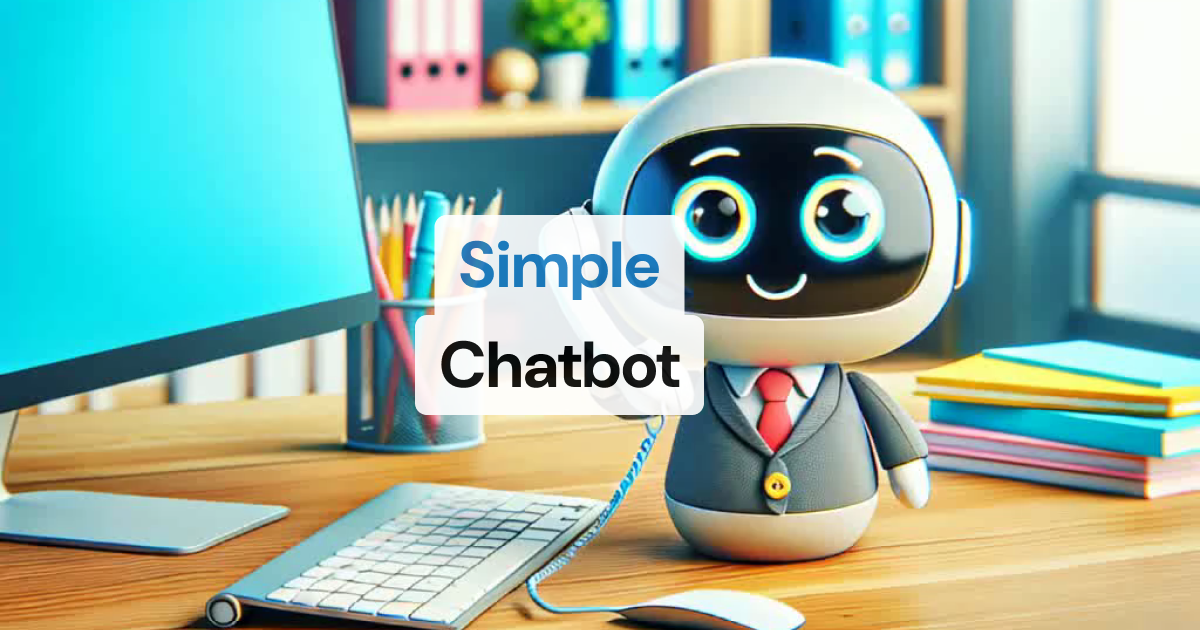

🧩 Available services
📚 View full services documentation →
⚡ Getting started
You can get started with Pipecat running on your local machine, then move your agent processes to the cloud when you're ready.
-
Install uv
curl -LsSf https://astral.sh/uv/install.sh | shNeed help? Refer to the uv install documentation.
-
Install the module
# For new projects uv init my-pipecat-app cd my-pipecat-app uv add pipecat-ai # Or for existing projects uv add pipecat-ai -
Set up your environment
cp env.example .env -
To keep things lightweight, only the core framework is included by default. If you need support for third-party AI services, you can add the necessary dependencies with:
uv add "pipecat-ai[option,...]"
Using pip? You can still use
pip install pipecat-aiandpip install "pipecat-ai[option,...]"to get set up.
🧪 Code examples
- Foundational — small snippets that build on each other, introducing one or two concepts at a time
- Example apps — complete applications that you can use as starting points for development
🛠️ Contributing to the framework
Prerequisites
Minimum Python Version: 3.11 Recommended Python Version: >= 3.12
Setup Steps
-
Clone the repository and navigate to it:
git clone https://github.com/pipecat-ai/pipecat.git cd pipecat -
Install development and testing dependencies:
uv sync --group dev --all-extras \ --no-extra gstreamer \ --no-extra local \ -
Install the git pre-commit hooks:
uv run pre-commit install
Note
: Some extras (local, gstreamer) require system dependencies. See documentation if you encounter build errors.
Claude Code Skills
Install development workflow skills for contributing to Pipecat with Claude Code:
claude plugin marketplace add pipecat-ai/pipecat
claude plugin install pipecat-dev@pipecat-dev-skills
Running tests
To run all tests, from the root directory:
uv run pytest
Run a specific test suite:
uv run pytest tests/test_name.py
🤝 Contributing
We welcome contributions from the community! Whether you're fixing bugs, improving documentation, or adding new features, here's how you can help:
- Found a bug? Open an issue
- Have a feature idea? Start a discussion
- Want to contribute code? Check our CONTRIBUTING.md guide
- Documentation improvements? Docs PRs are always welcome
Before submitting a pull request, please check existing issues and PRs to avoid duplicates.
We aim to review all contributions promptly and provide constructive feedback to help get your changes merged.