

Personalized Voice Agent
This repository demonstrates a personalized voice agent with real-time audio/video interaction, implemented using different client and server options. The bot server supports multiple AI backends, and you can connect to it using five different client approaches.
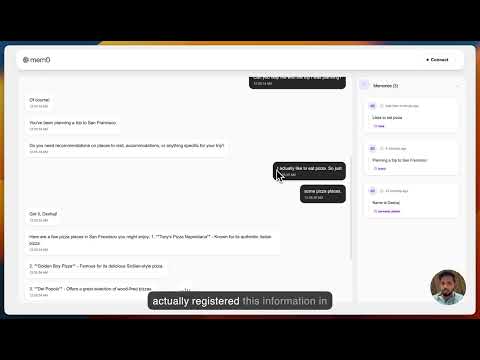
Here is a demo video:
Bot Options
- OpenAI Bot (Default)
- Uses gpt-4o for conversation
- Requires OpenAI API key
Client Option
- React
- Basic implementation using Pipecat React SDK
- Demonstrates the basic client principles with Pipecat React
Quick Start
First, start the bot server:
-
Navigate to the server directory:
cd server -
Create and activate a virtual environment:
python3 -m venv venv source venv/bin/activate # On Windows: venv\Scripts\activate -
Install requirements:
pip install -r requirements.txt -
Copy env.example to .env and configure:
- Add your API keys
-
Start the server:
python server.py -
Next, connect using react client
Important Note
The bot server must be running for any of the client implementations to work. Start the server first before trying any of the client apps.
Requirements
- Python 3.10+
- Node.js 16+ (for JavaScript and React implementations)
- Daily API key
- OpenAI API key (for OpenAI bot)
- ElevenLabs API key
- Mem0 API Key
- Modern web browser with WebRTC support
Project Structure
personalized-voice-agent/
├── server/              # Bot server implementation
│   ├── bot-mem0.py    # Mem0 bot implementation
│   ├── runner.py        # Server runner utilities
│   ├── server.py        # FastAPI server
│   └── requirements.txt
└── client/              # Client implementations
    ├── android/         # Daily Android connection
    ├── ios/             # Daily iOS connection
    ├── javascript/      # Daily JavaScript connection
    ├── prebuilt/        # Pipecat Prebuilt client
    └── react/           # Pipecat React client